
Wiring harness design software

The whole wiring harness, designed in one model.

TorqCAD takes a harness from schematic to build pack in the browser. Draw the circuit, route the loom through the vehicle in 3D, and issue the drawings, cut list and bill of materials from the same data.

We will email you when accounts open, and not before. Privacy.

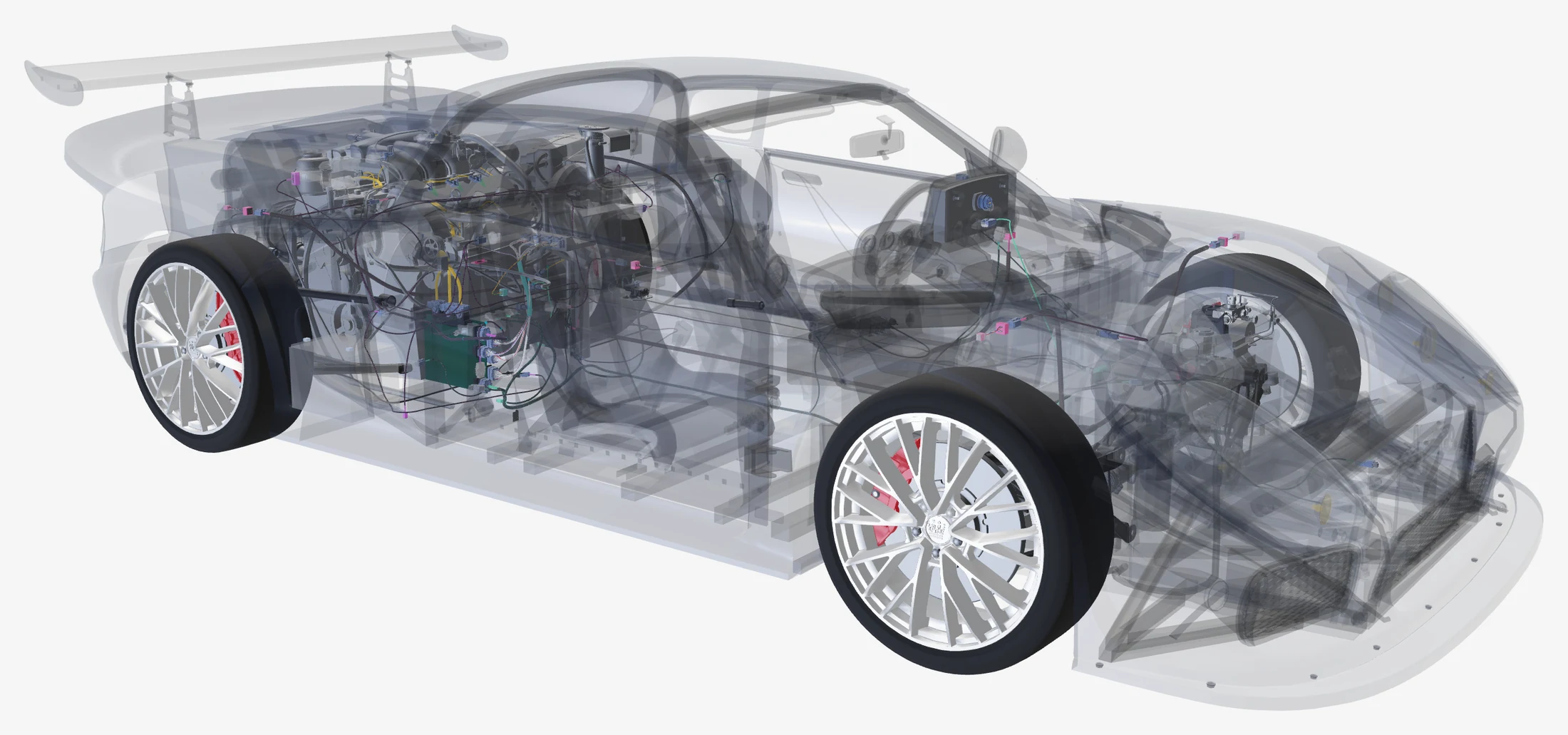
A Noble M400 sports car in the TorqCAD 3D harness router, seen from the front three-quarter with its body and chassis translucent, wheels and engine solid, and its wiring looms routed through the car from nose to tail
Noble M400 in the 3D harness router, body and chassis in x-ray
  1. 01

    Schematic

    Circuits drawn with a standard symbol library, with a number, size and colour on every wire.

  2. 02

    3D route

    The loom laid through your vehicle model, with lengths taken from the routed path.

  3. 03

    Harness drawing

    Connector views, cavity tables and dimensions on a sheet a technician can build from.

  4. 04

    Build pack

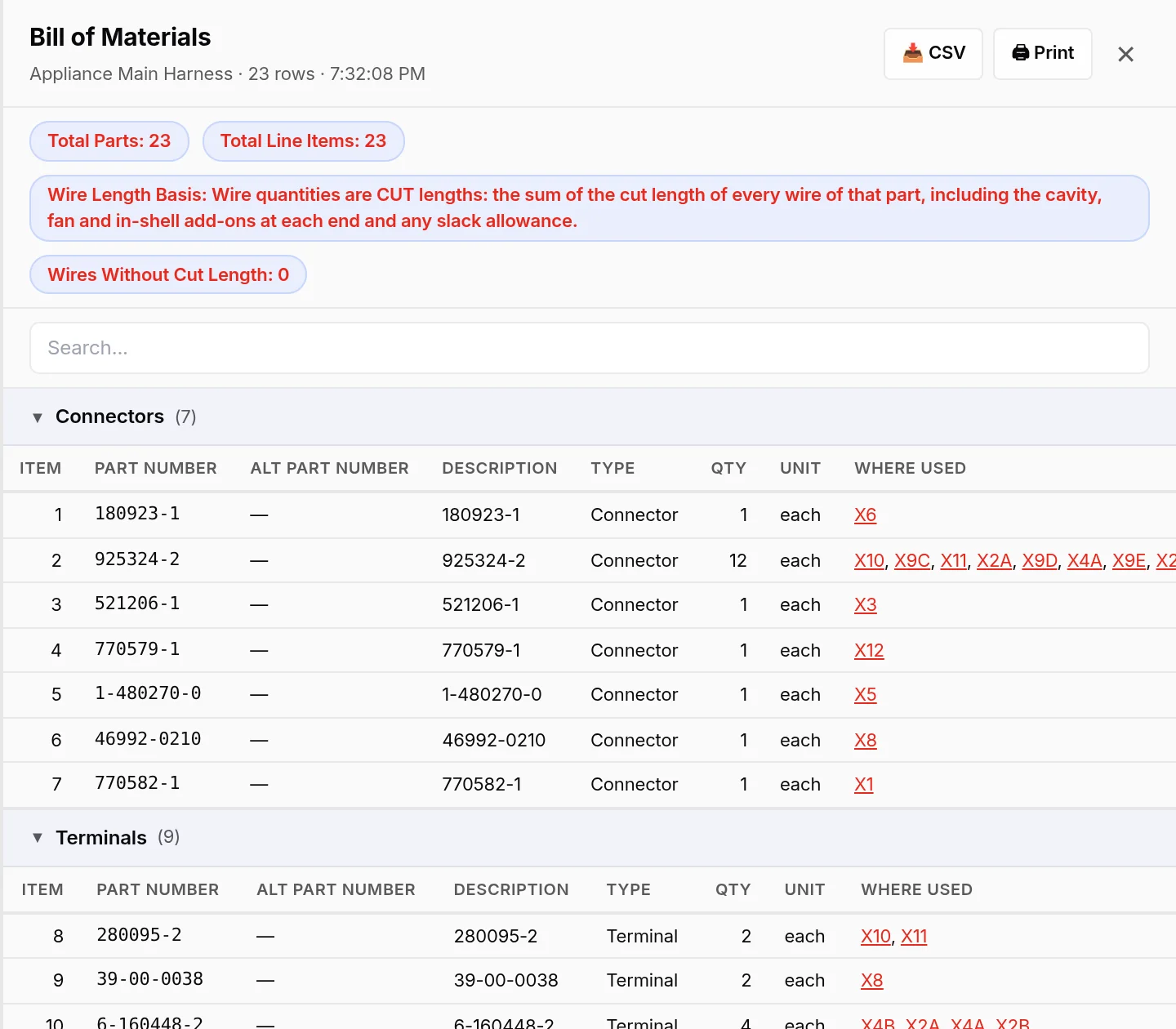
    Bill of materials, wire cutting list, from-to list and covering schedule.

3D routing

Route it in the vehicle before anything is cut

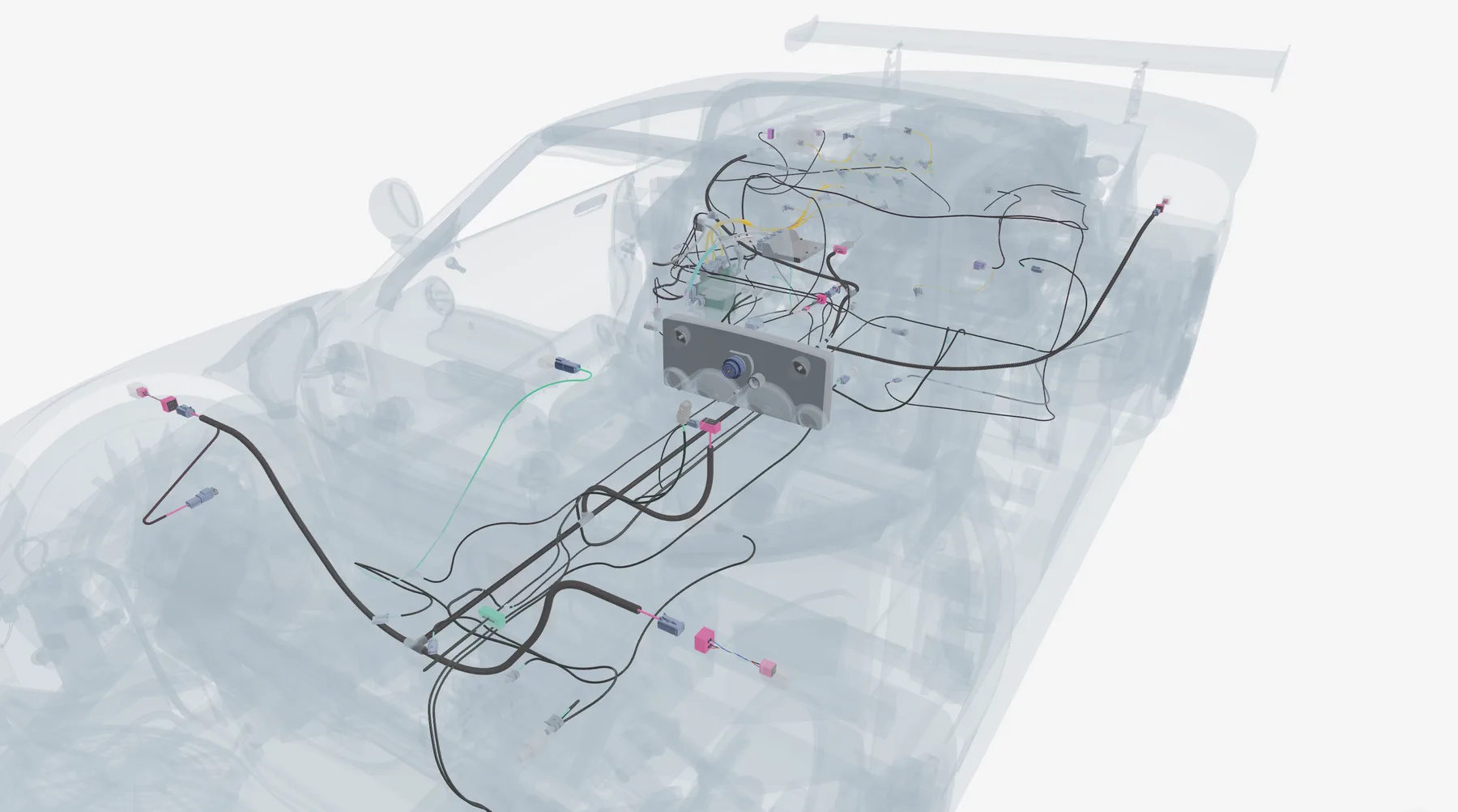
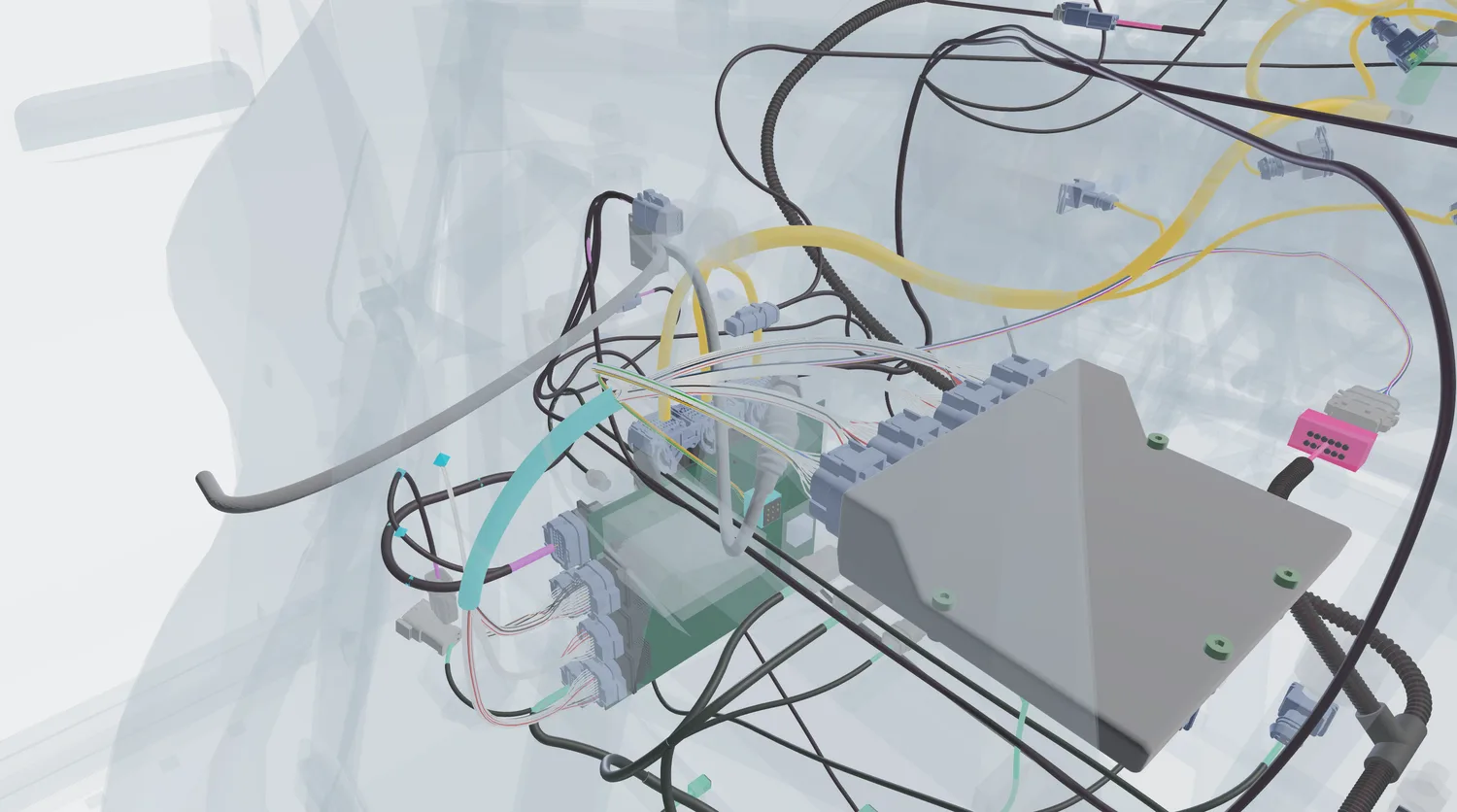
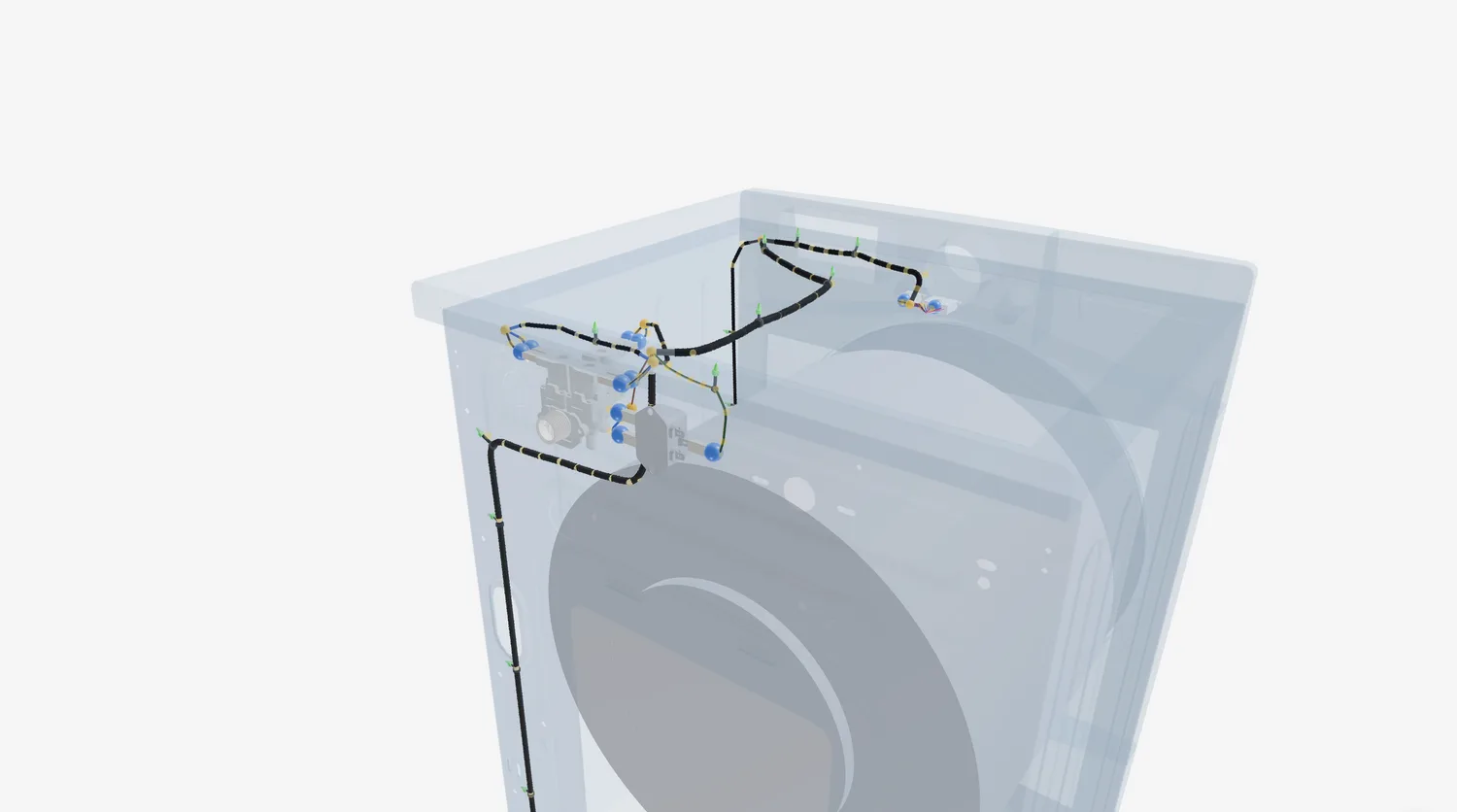
Load the vehicle or machine as a 3D model and lay the harness through it. Plugs mate to the equipment they connect, bundles follow the structure, and clips, coverings and moulded transitions sit where they will be fitted. When the route is right, flatten it to a 2D drawing.

  • Bundle diameters come from the wires inside each bundle
  • Clearance is checked against the vehicle and between bundles
  • The routed harness exports as a 3D PDF for people without an account

Harness drawings

Drawings a technician can build from

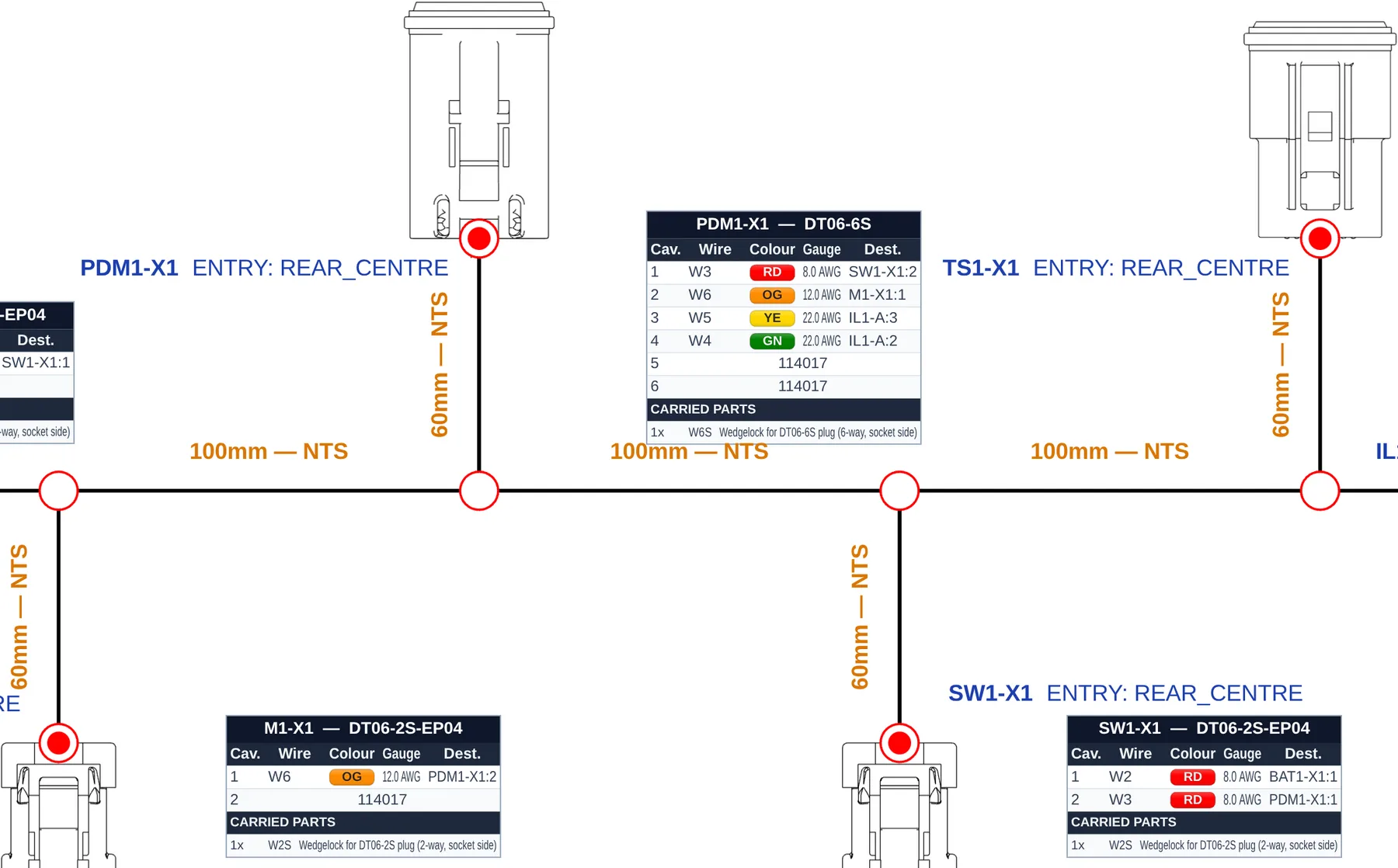
Each connector is drawn from its catalogue artwork. Its cavity table lists wire, colour, gauge and destination, and the parts the connector carries, such as wedgelocks and sealing plugs, are listed with it.

Bundle lengths are dimensioned on the run, and the sheet exports to PDF and DXF.

Harness drawing - connector views and cavity tables
Detail of a harness drawing with connector outlines, dimensioned bundles and cavity tables showing wire, colour, gauge and destination

Schematics

Schematics that carry real wires

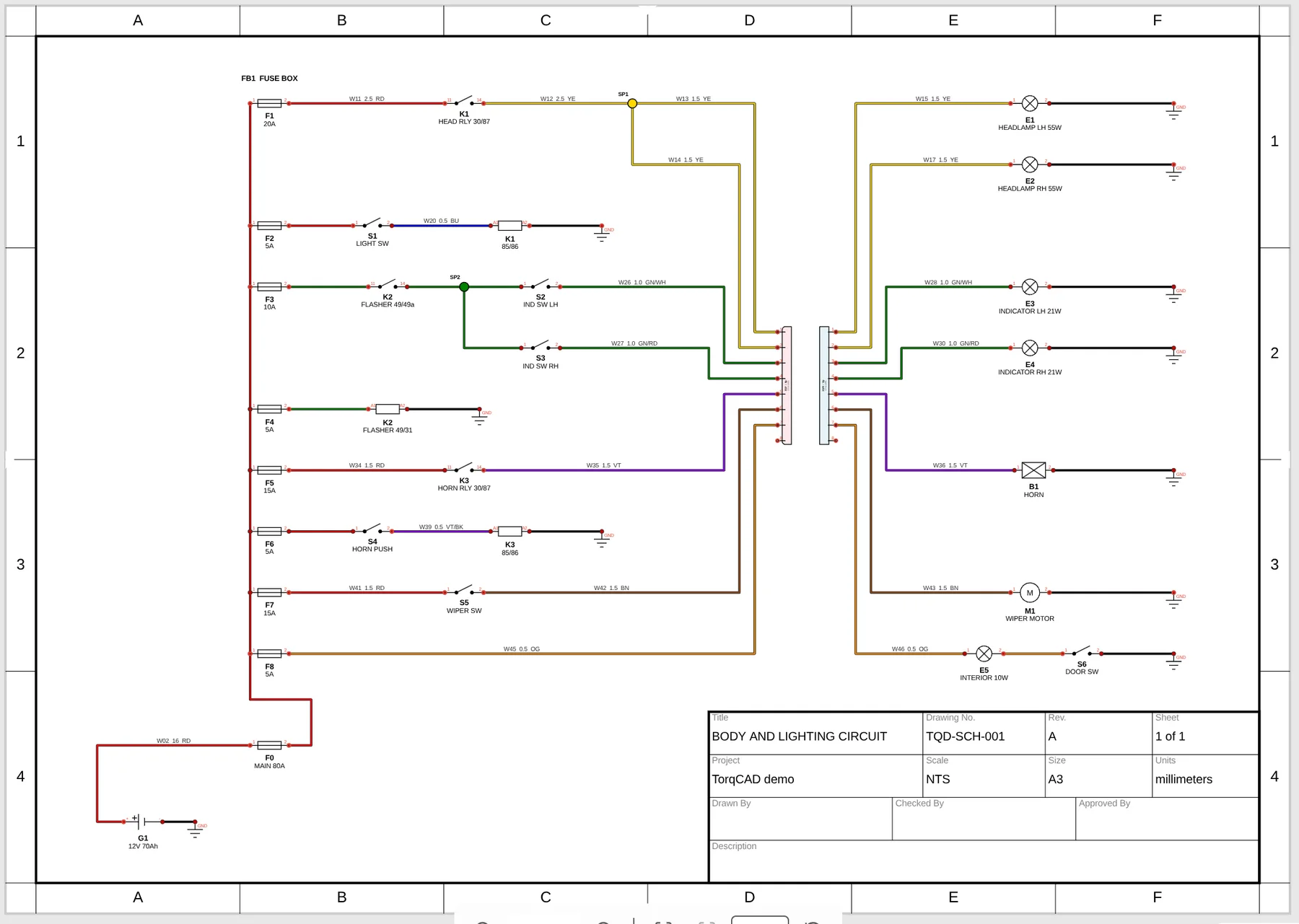
Draw circuits on a framed sheet with a DIN EN 60617 symbol library. Every line is a wire with a number, a size and a colour, which is what lets the harness be checked against the circuit it is meant to build.

Schematic sheet - body and lighting circuit
Schematic sheet of a body and lighting circuit: fuses, relays, switches and lamps joined by coloured, numbered wires

Checks and reports

Checked on the sheet, reported from the model

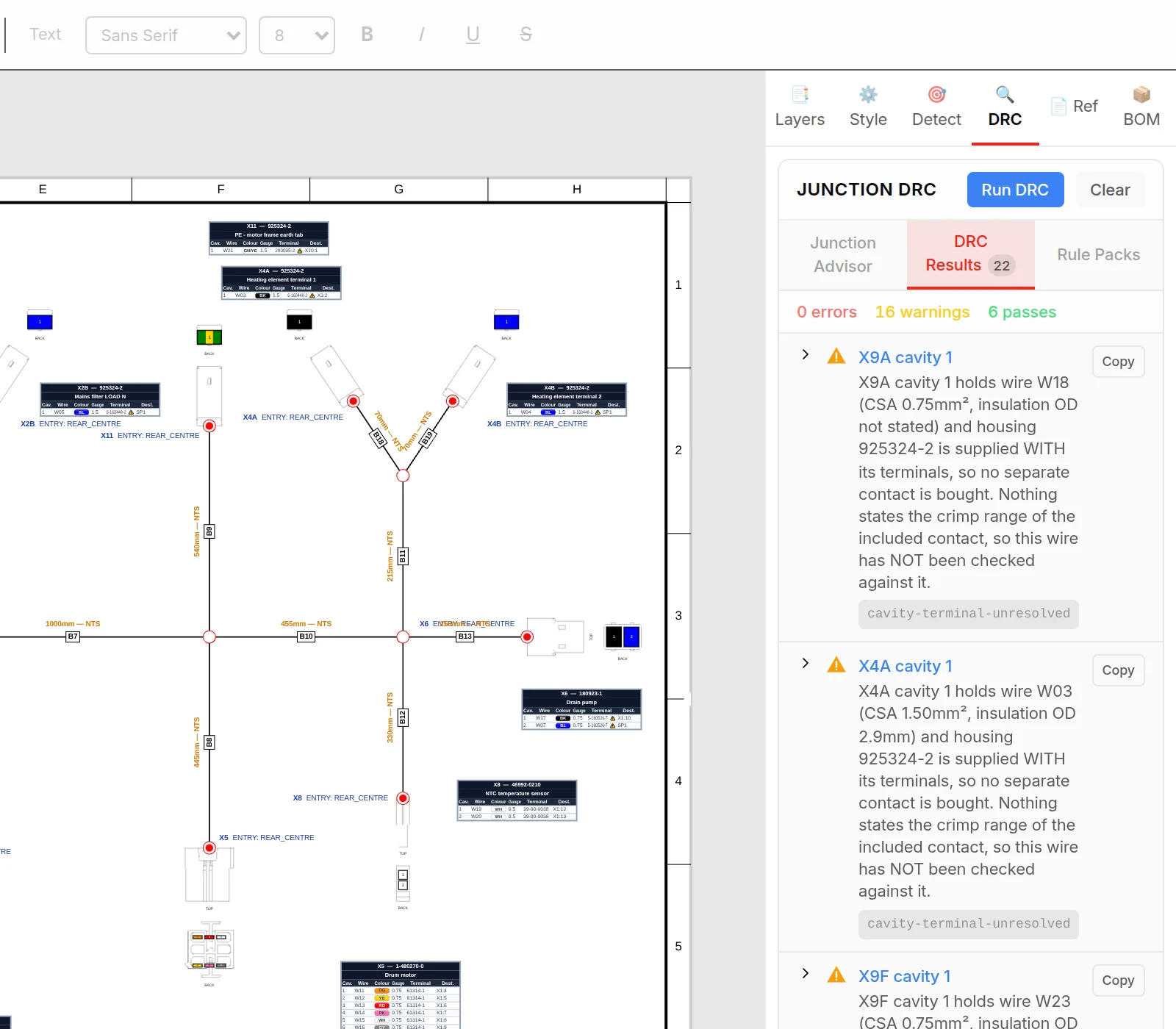
Design rule checks run against the drawing and list what they found, including what passed. Reports come from the same model the sheet is drawn from, so a part on the drawing is a line in the bill of materials.

Connector assembly

Every connector, exploded into its build steps

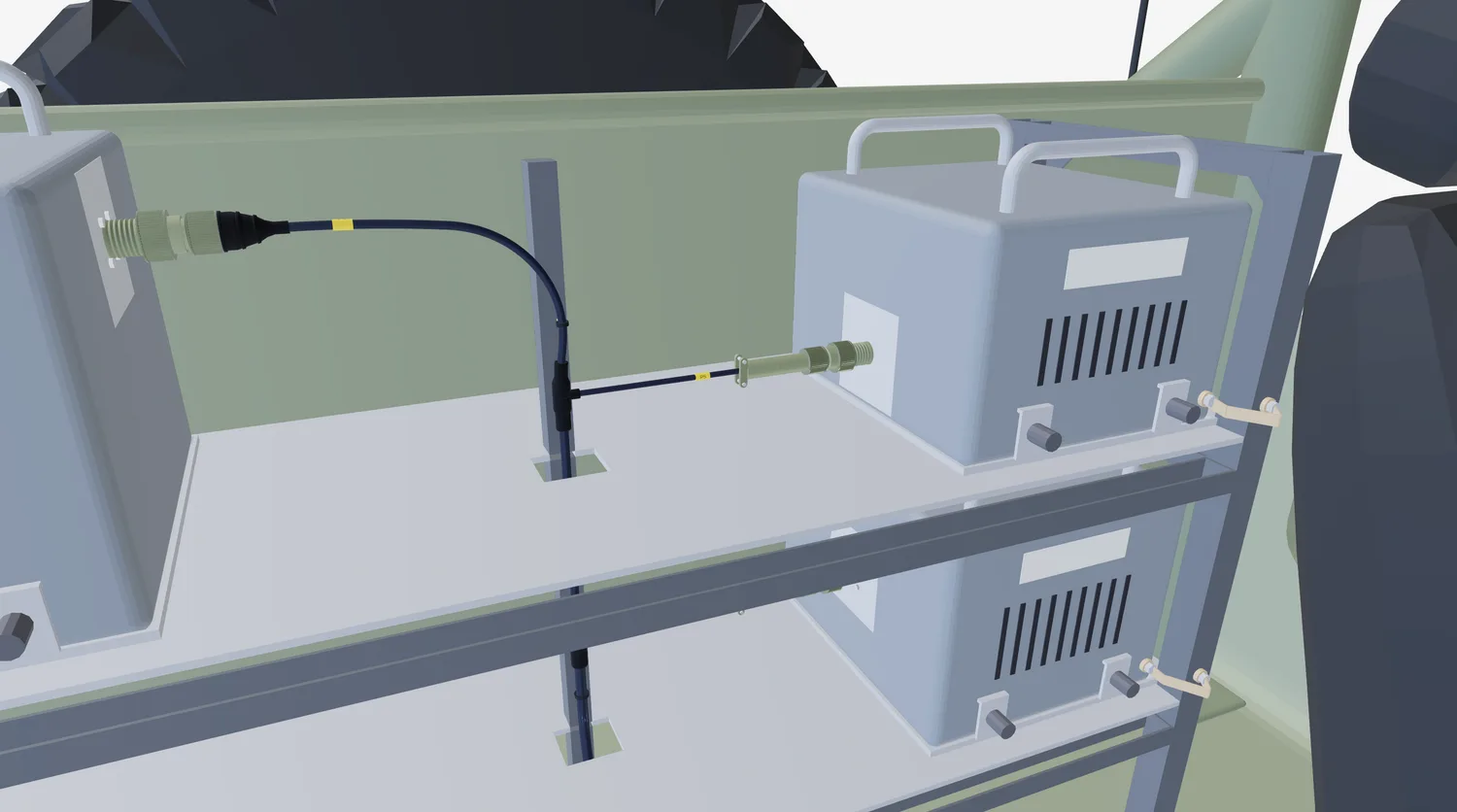
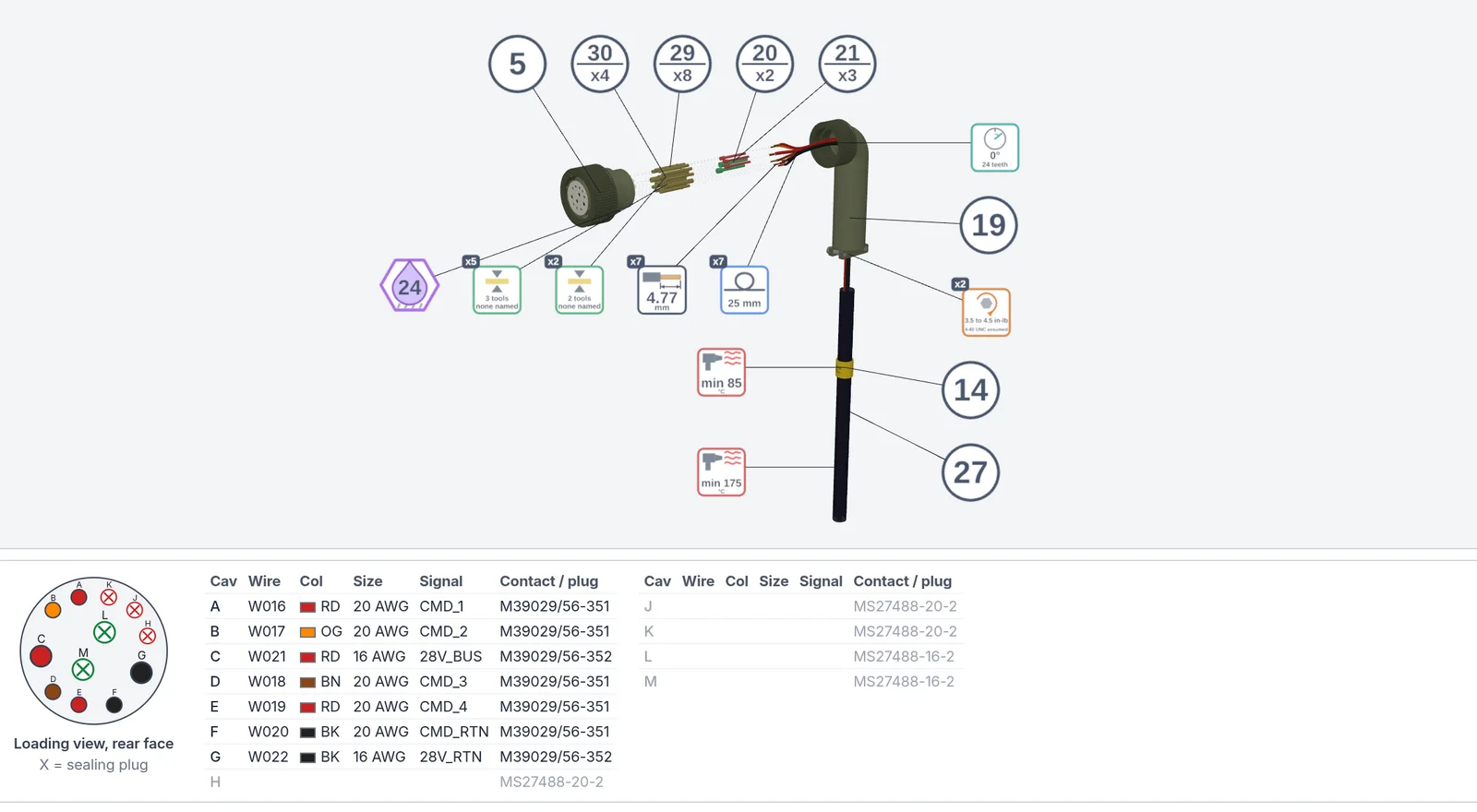
Open a connector and see it taken apart: contacts, sealing plugs, backshell and heat shrink, each ballooned to its line in the bill of materials.

Process notes sit beside the parts, with strip lengths, torque figures and shrink temperatures. The loading view shows which wire goes in which cavity.

Connector assembly viewer - exploded, with loading view
Exploded view of a circular connector with numbered balloons for each part, process icons, and a loading view table of cavities, wires and contacts

Film

Watch a harness go from 3D route to build pack

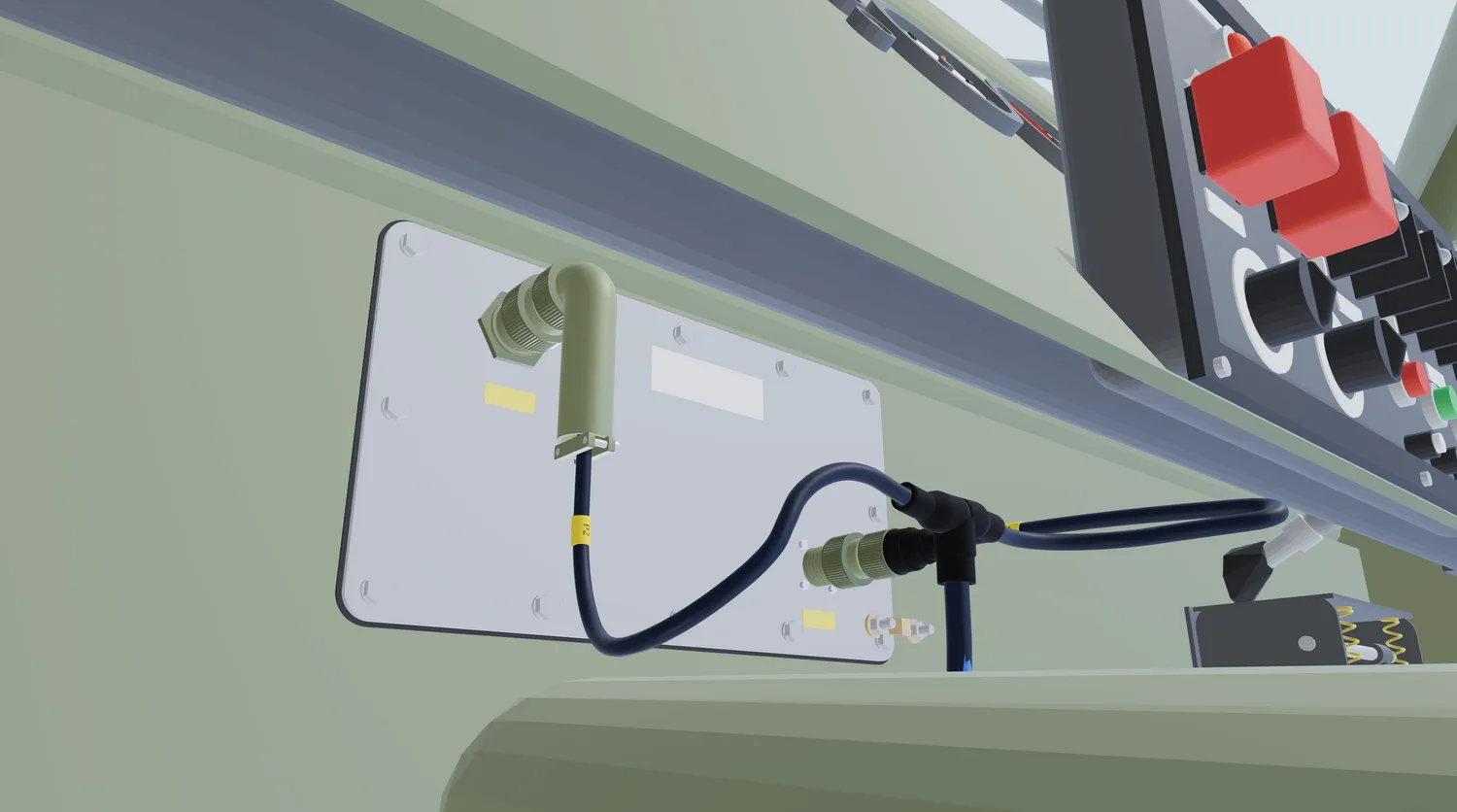
Three and a half minutes on an example light 4x4 with a MIL-DTL-38999 harness: routed through the vehicle, each connector exploded into its build steps, then flattened to a drawing with its wire list and bill of materials.

Also in TorqCAD

Parts, imports and an assistant

01

A parts library keyed by part number

Connectors, terminals, seals, wire and coverings are catalogued by manufacturer part number, with artwork, cavity maps and 3D models where they exist. Terminals and seals are picked for each cavity from the wire that goes in it.

02

Bring your existing drawings

A PDF of an existing harness drawing can be read into an editable harness, and VEC files import and export. Finished sheets leave as PDF and DXF, with a netlist if you need one.

03

An assistant that can see your drawing

Spark sits beside the editor. Ask it where a connector is or what a rule check finding means, and it highlights the answer on the sheet.

Launch list

Be first in when TorqCAD opens

Leave your email and we will write when accounts open, and not before.

How we handle your address is set out on the privacy page.

Have a harness in mind?

Tell us what you are building and we will come back to you. Or write to hello@torqcad.com.